
Coffee Beater Enclosure: Designing a Hand-Held Beater from CAD to Prototype
The housing of a hand-held coffee beater: a two-section faceted enclosure, a nose-cone coupler and an internal spacer, modelled in SolidWorks, rendered, and built as a prototype.
- Role
- Designer
- Timeline
- Completed Jun 2026
- Stack
- SolidWorks, STEP, Enclosure design +3
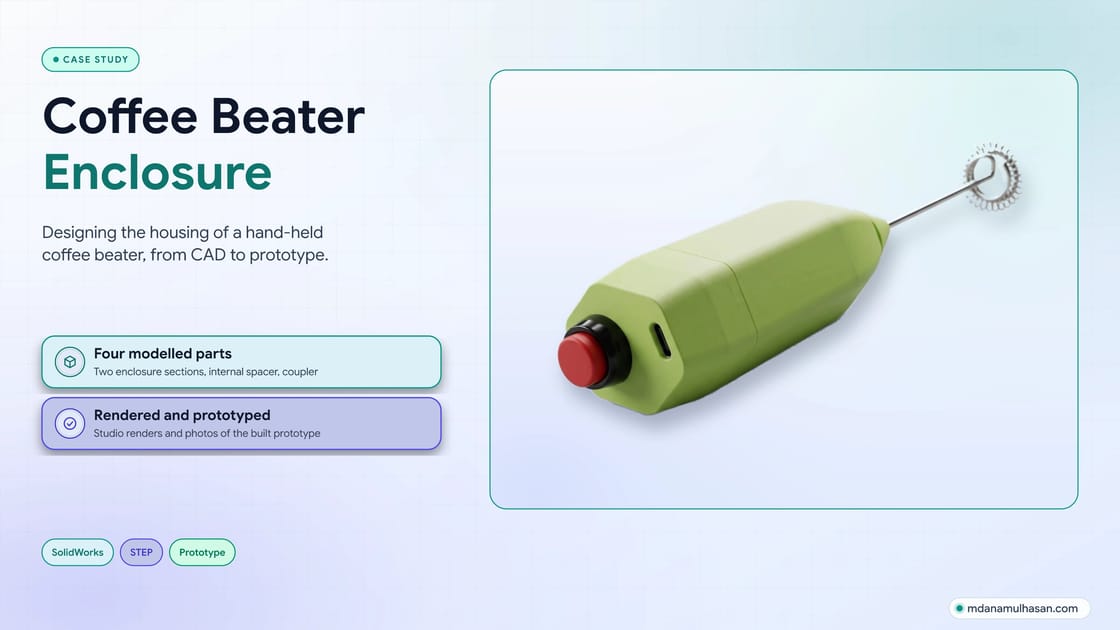
Case study
Challenge & Solution
The product
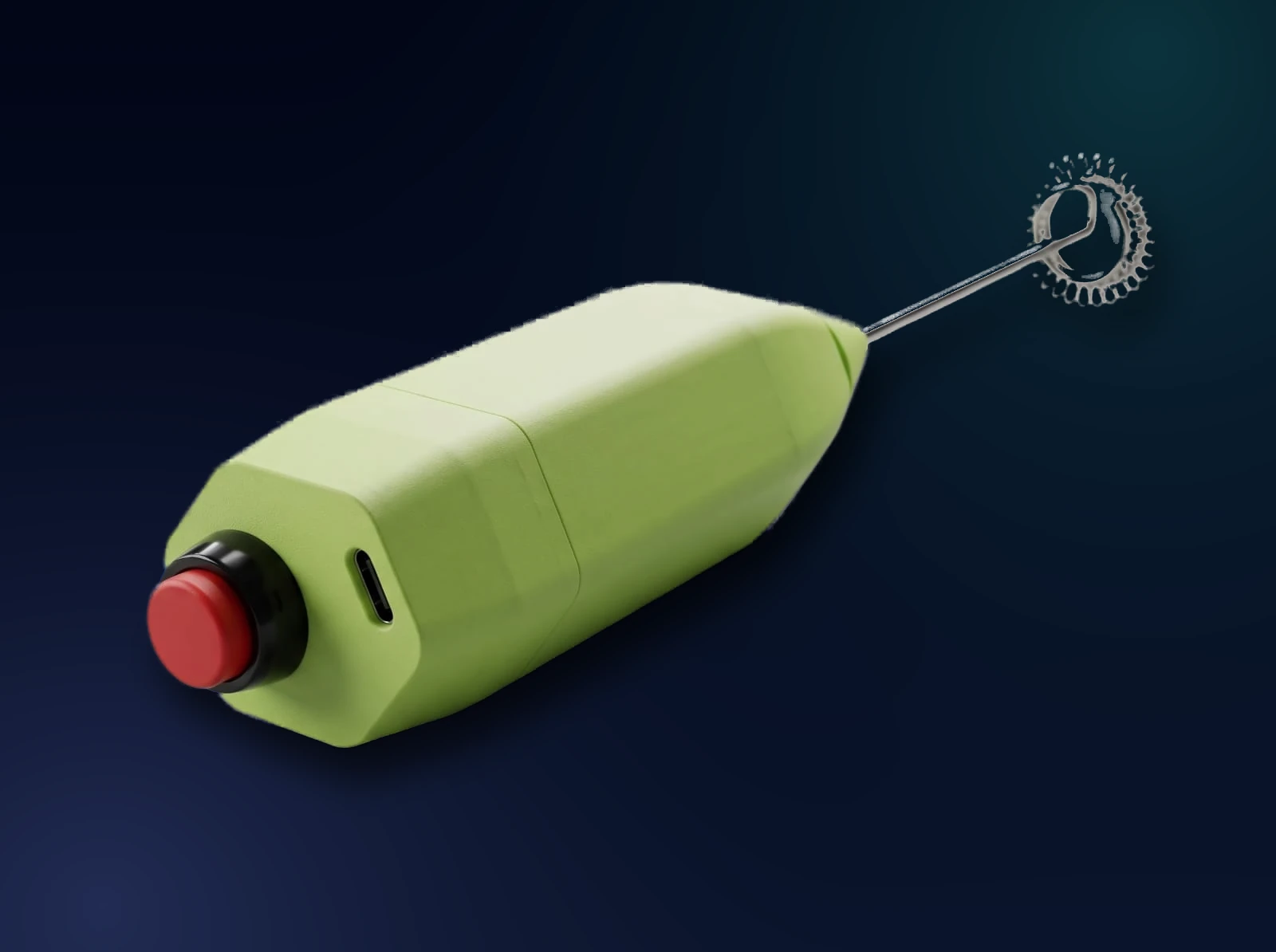
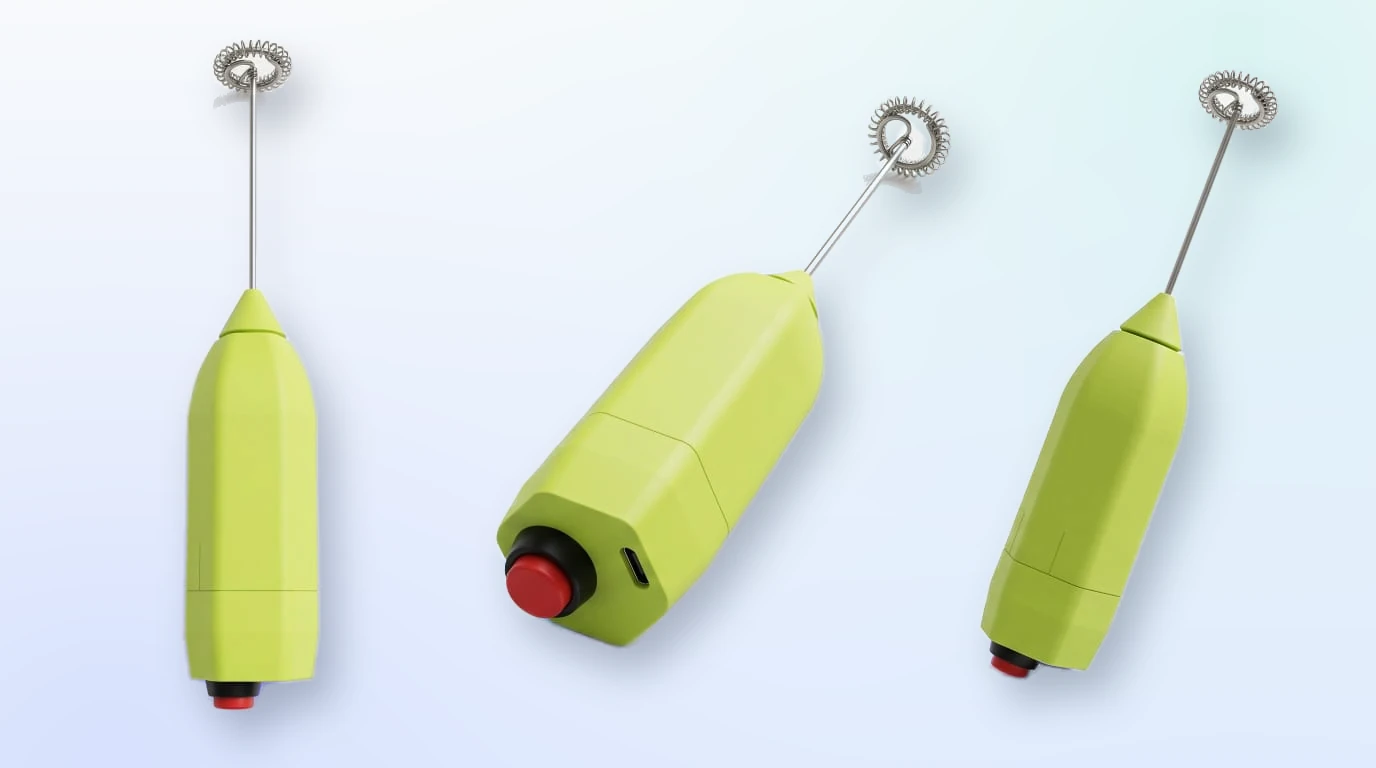
The Coffee Beater is a hand-held beater for frothing milk and mixing coffee: a stainless coil whisk on a thin steel shaft, driven from a compact green housing with a red push button and a USB-C port at one end. I designed the housing: the two enclosure sections, the nose cone that the shaft leaves through, and the spacer that holds the inside together. This case study follows it from CAD to a built prototype.
What the design shows
Read from the model, the renders and the prototype:
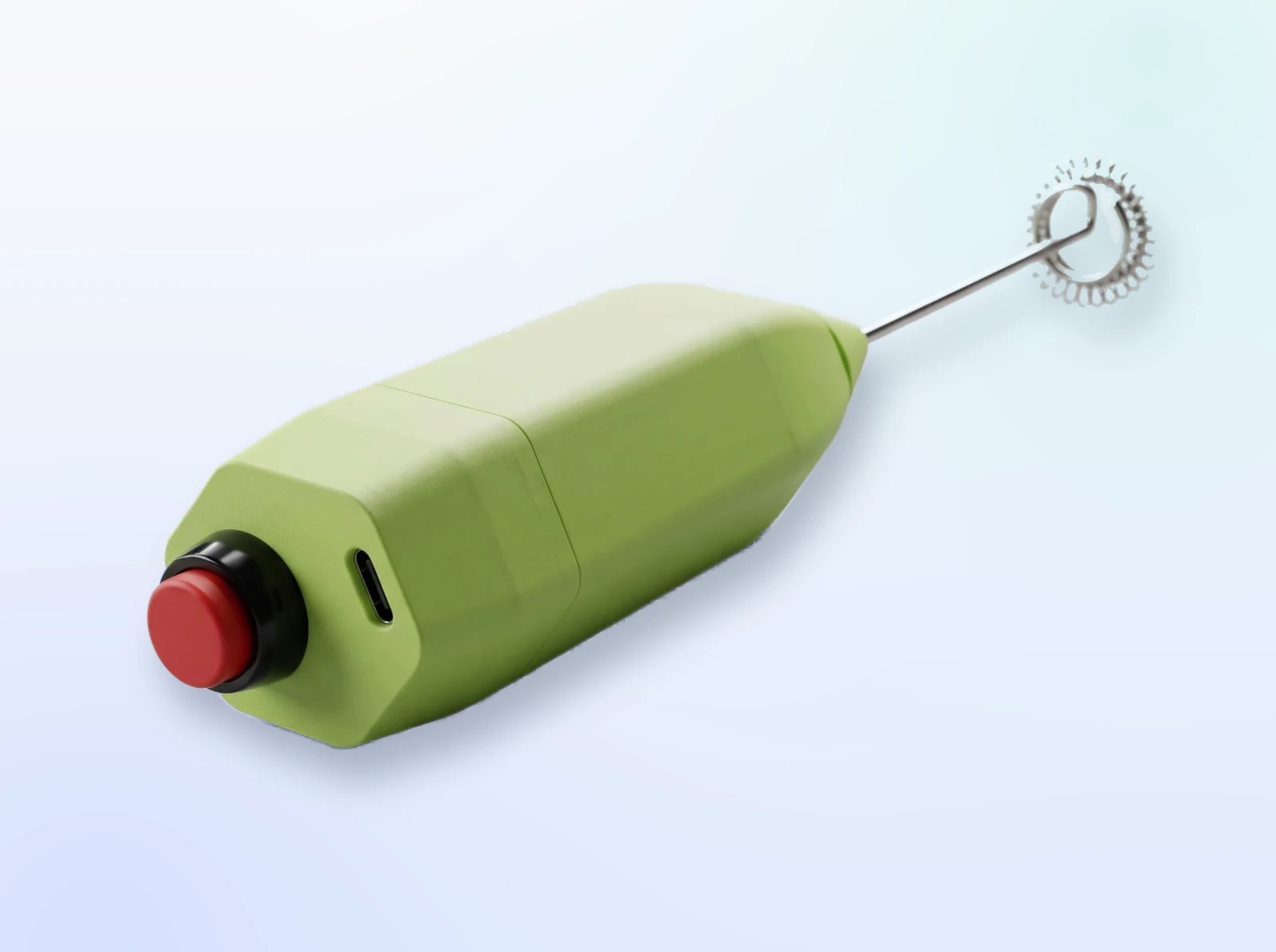
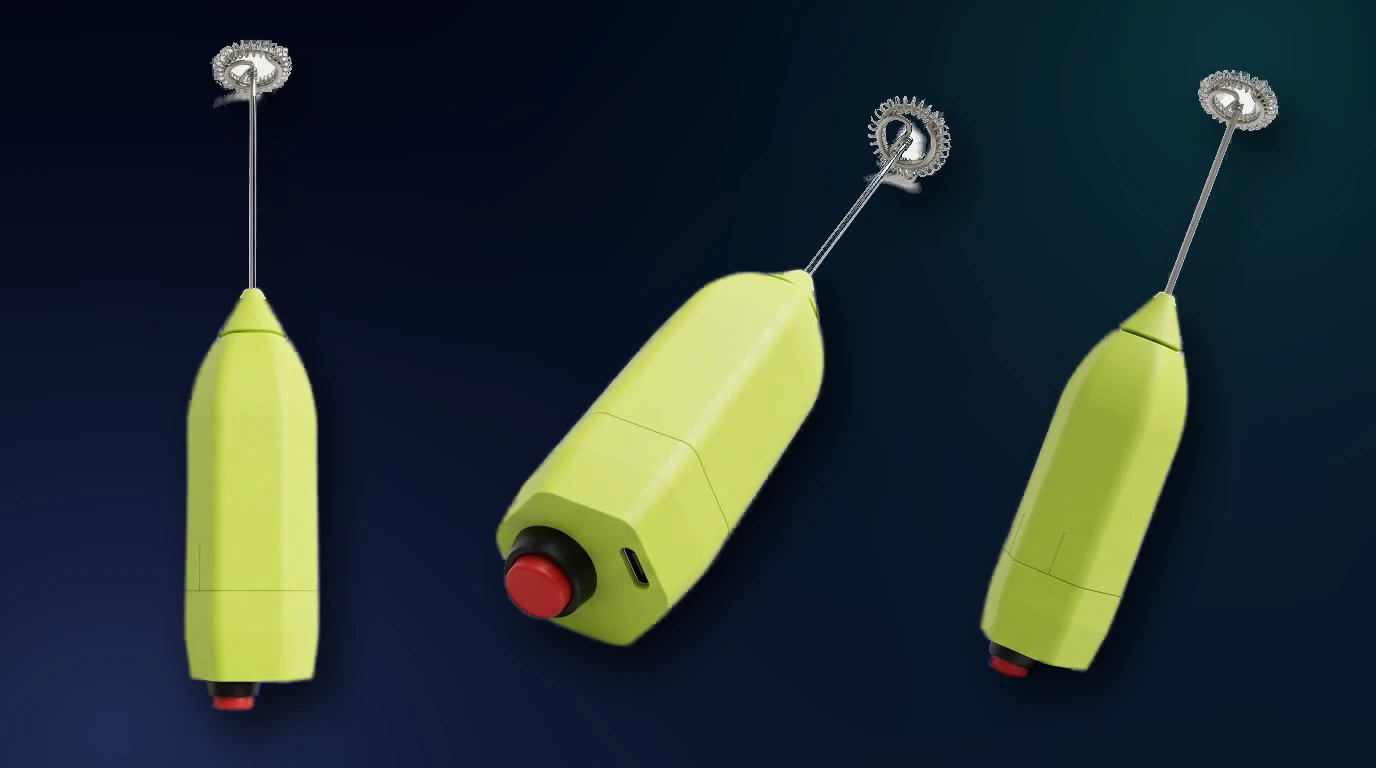
- One control. A single push button sits on the end of the handle, and nothing else sits on the grip.
- USB-C on the button end. The port is on a flat beside the button, so the cable plugs in at the same end the user switches the beater on.
- A faceted body. The housing has flat faces and chamfered corners instead of a round profile.
- A two-section body. A visible seam splits the housing into a long main section and a short button-end section.
- A cone-shaped nose. The steel shaft leaves the housing through the tip of a separate cone-shaped piece.
Every component
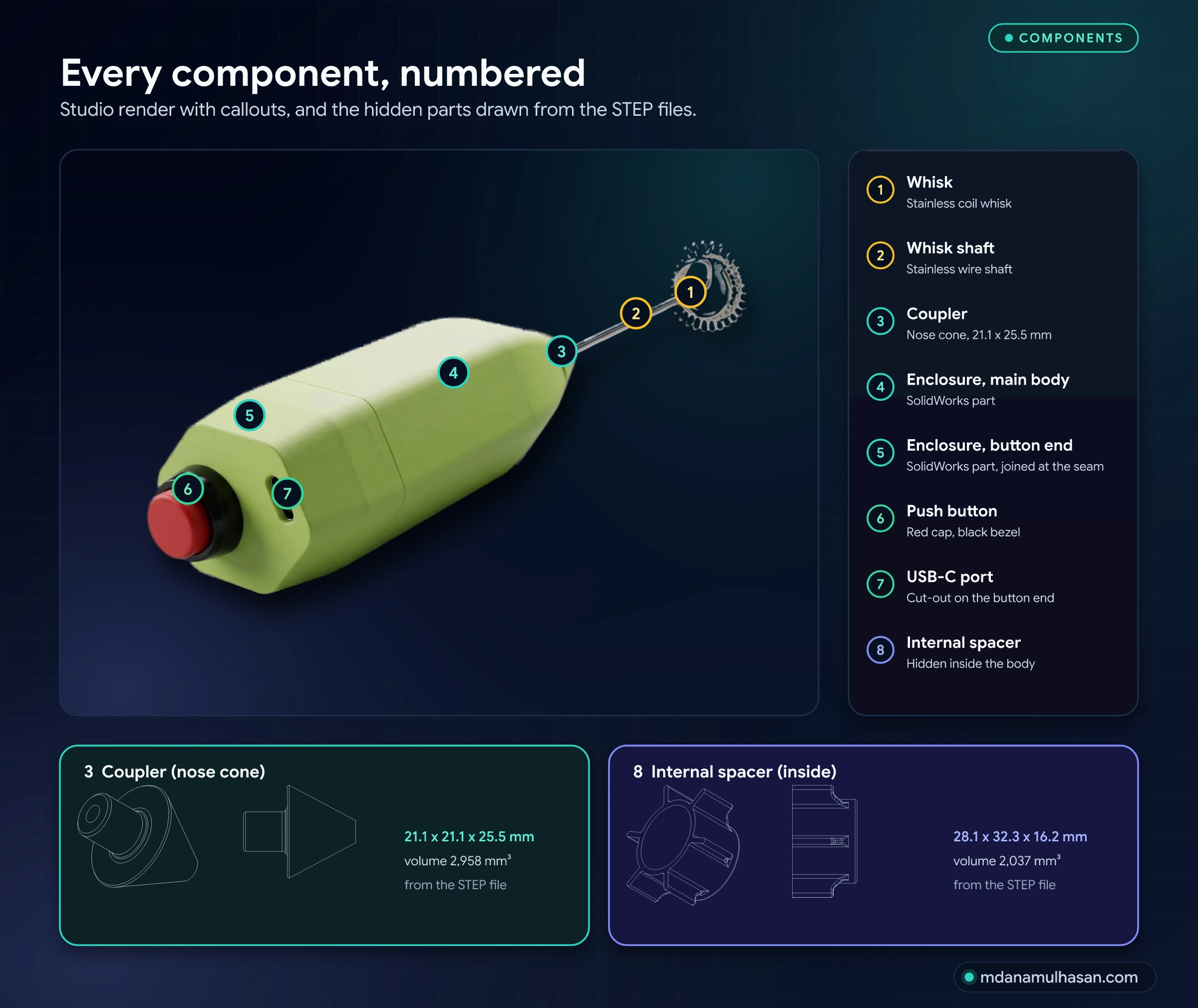
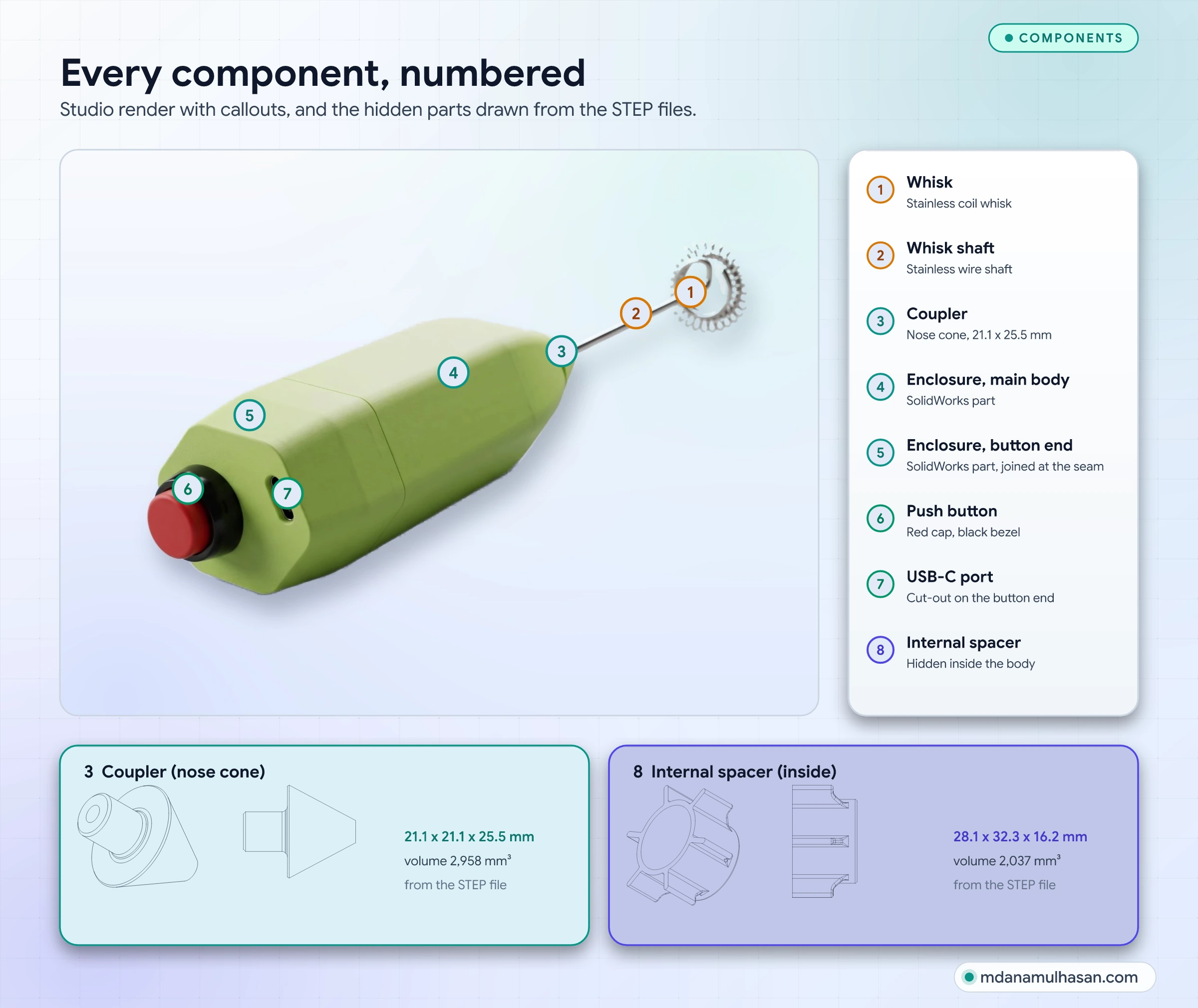
| # | Component | Source | What it does |
|---|---|---|---|
| 1 | Whisk | Hardware | Stainless coil whisk at the tip |
| 2 | Whisk shaft | Hardware | Stainless wire shaft |
| 3 | Coupler | SolidWorks part and STEP | Cone-shaped nose piece, 21.1 x 21.1 x 25.5 mm; the shaft leaves through its tip |
| 4 | Enclosure, main body | SolidWorks part | Long section of the housing |
| 5 | Enclosure, button end | SolidWorks part | Short section that carries the button and the USB-C cut-out |
| 6 | Push button | Hardware | Red cap with a black bezel |
| 7 | USB-C port | Hardware | Opening on a flat of the button end |
| 8 | Internal spacer | SolidWorks part and STEP | Ring with six radial ribs inside the body, 28.1 x 32.3 x 16.2 mm |
The CAD package holds four parts: the Upper and Lower Enclosure, the Internal Spacer and the Coupler. The whisk, shaft, button and USB-C connector are hardware outside the CAD package, shown here because they decide the openings in the housing. The numbered figure labels the two enclosure parts by their position on the product.
The modelled parts
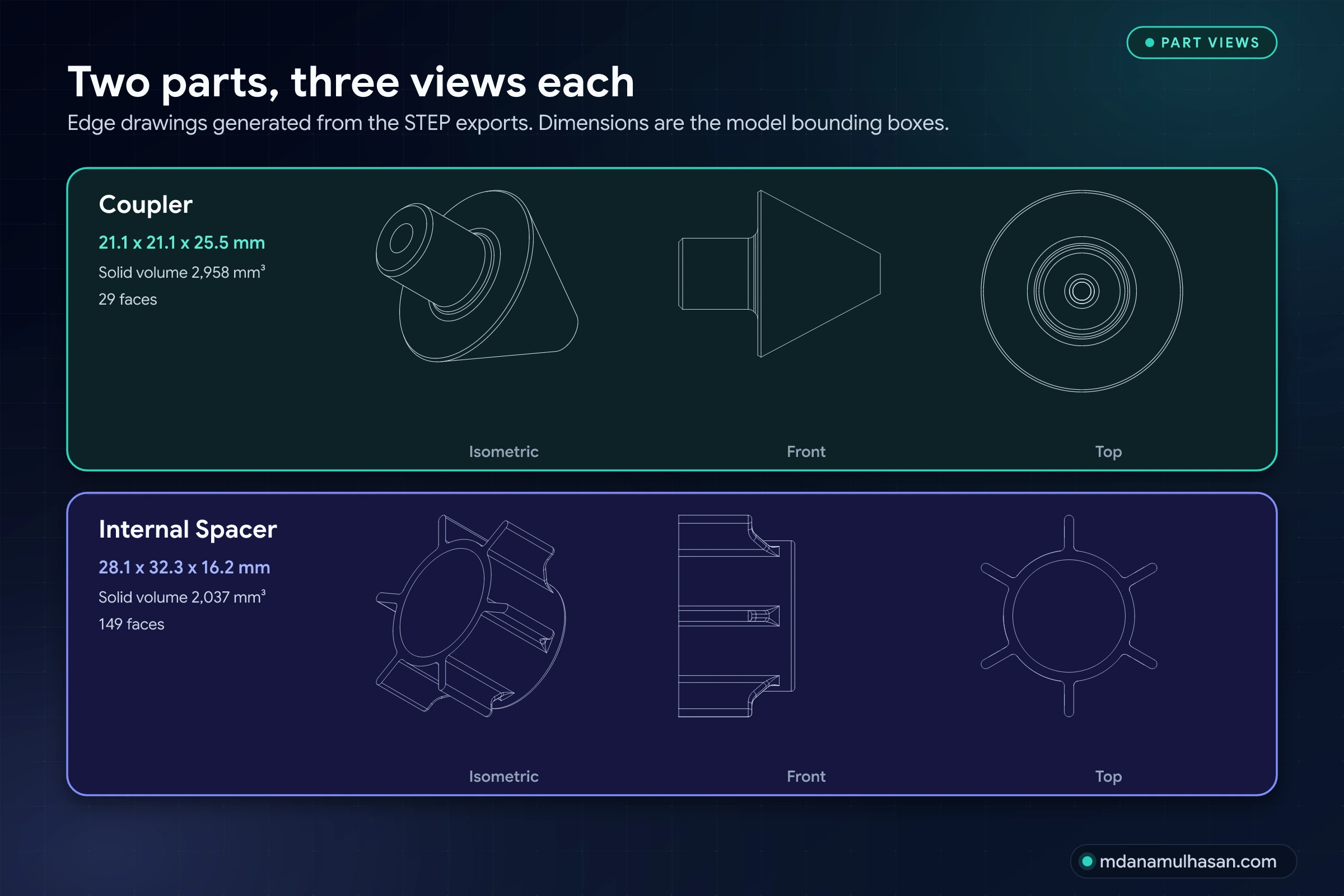
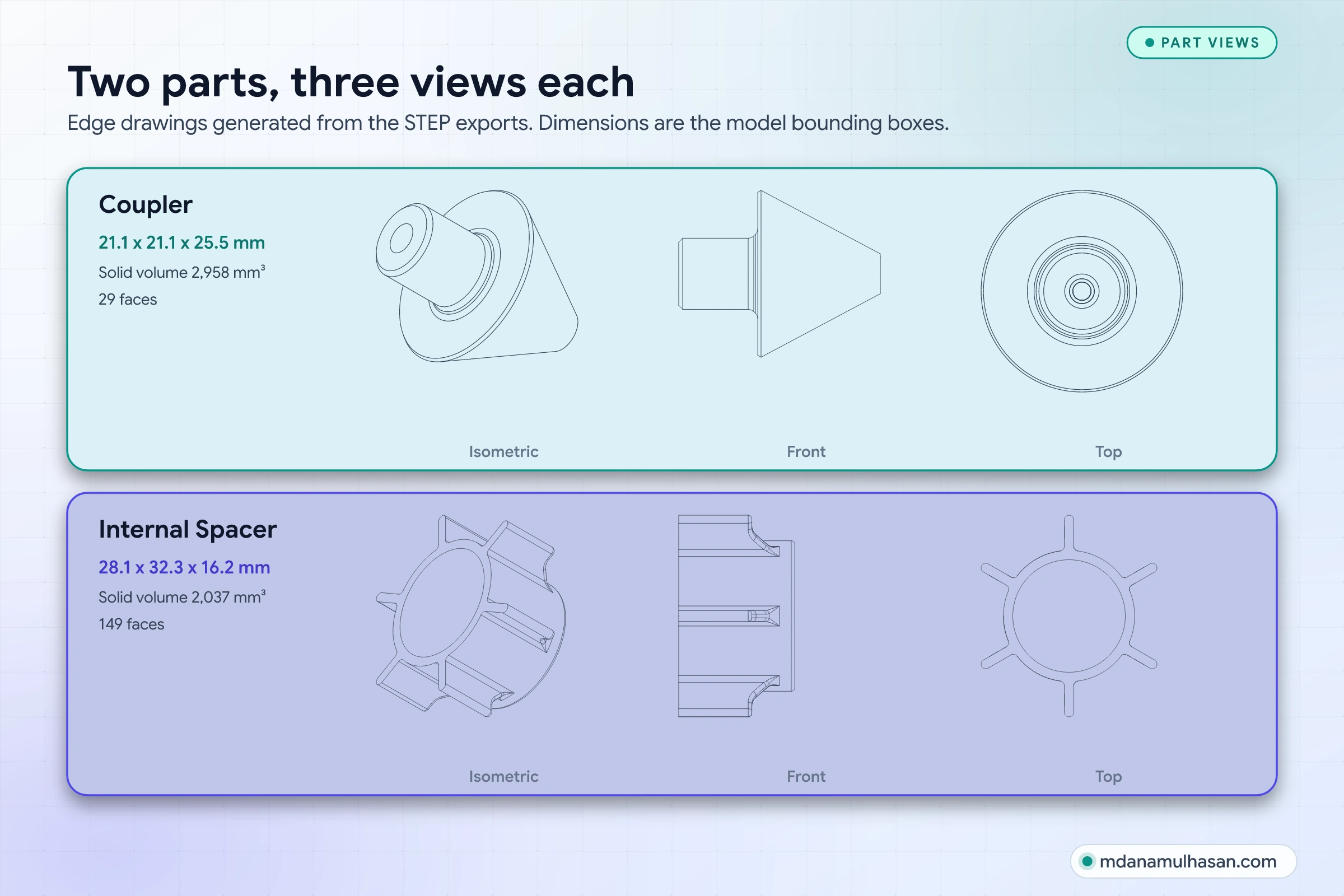
| Part | Bounding box | Solid volume | Faces |
|---|---|---|---|
| Coupler | 21.1 x 21.1 x 25.5 mm | 2,958 mm³ | 29 |
| Internal Spacer | 28.1 x 32.3 x 16.2 mm | 2,037 mm³ | 149 |
Both are single solids. The coupler is a body of revolution: a bored stub on a cone. The internal spacer is a ring with six radial ribs, so it has about five times the faces of the coupler.
Wireframe views
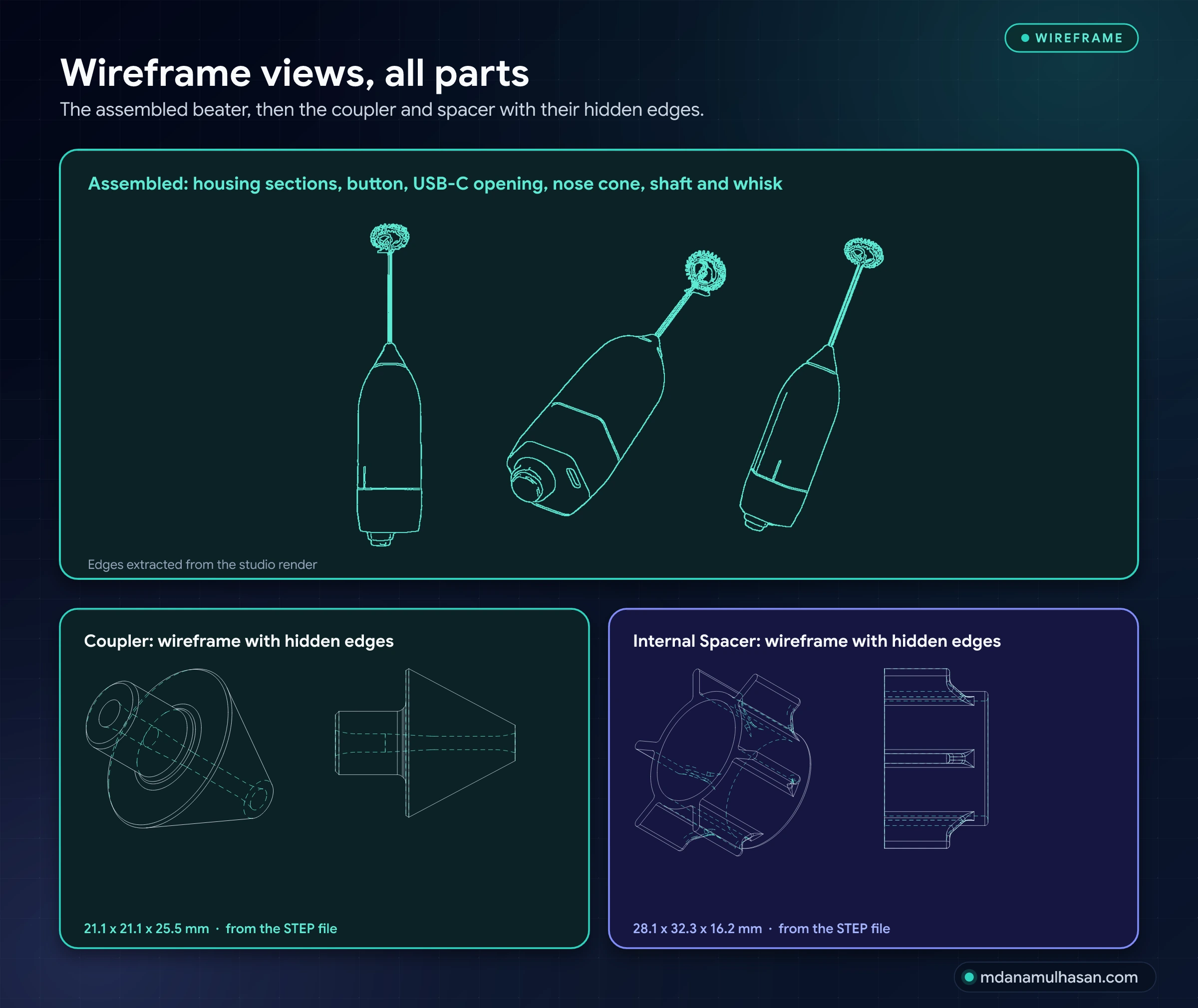
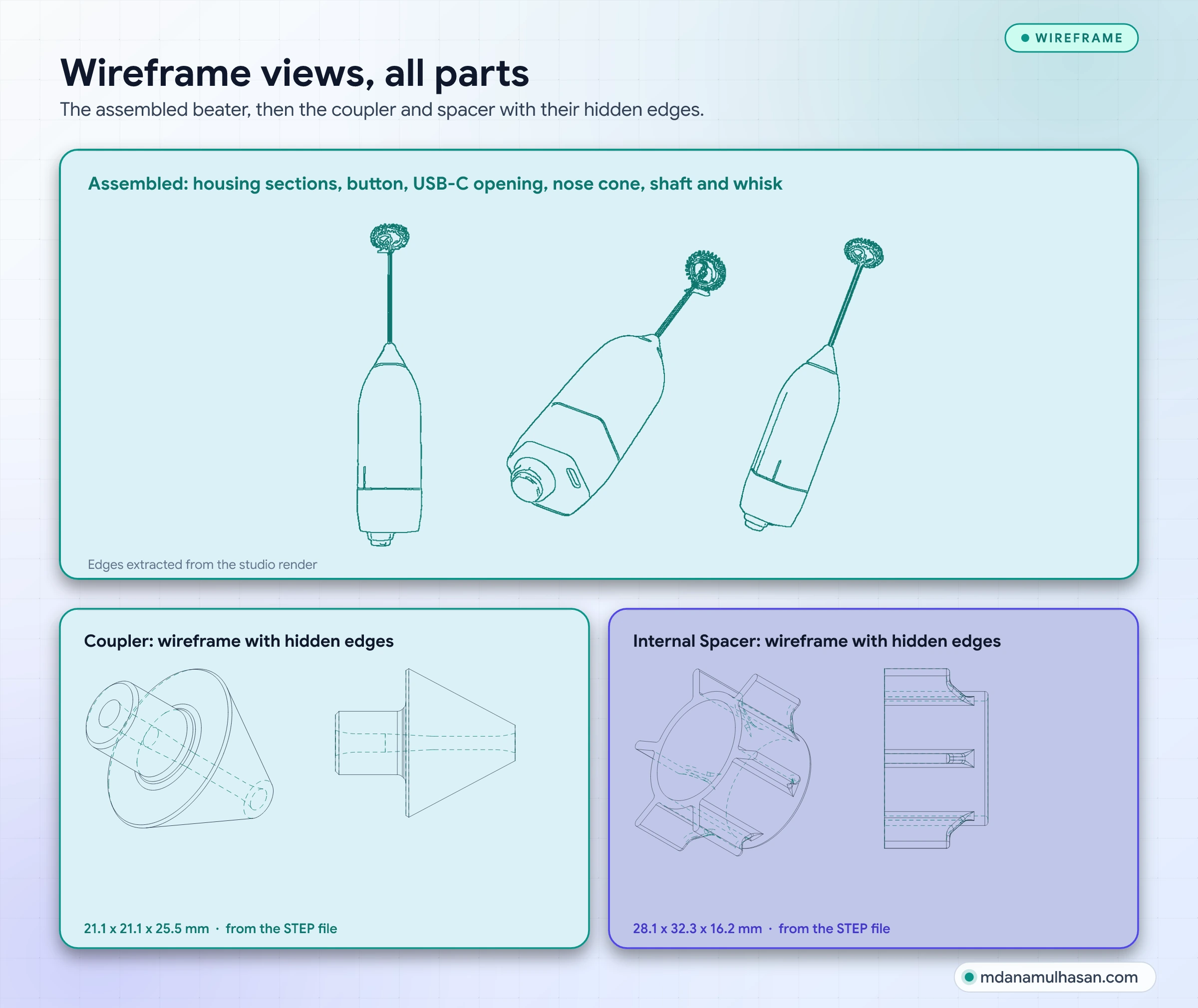
The assembled views are edge extractions from the studio render, so they show the housing sections, the seam, the button, the USB-C opening, the nose cone, the shaft and the whisk. The coupler and spacer wireframes come straight from their STEP files, with hidden edges dashed.
In use
The prototype
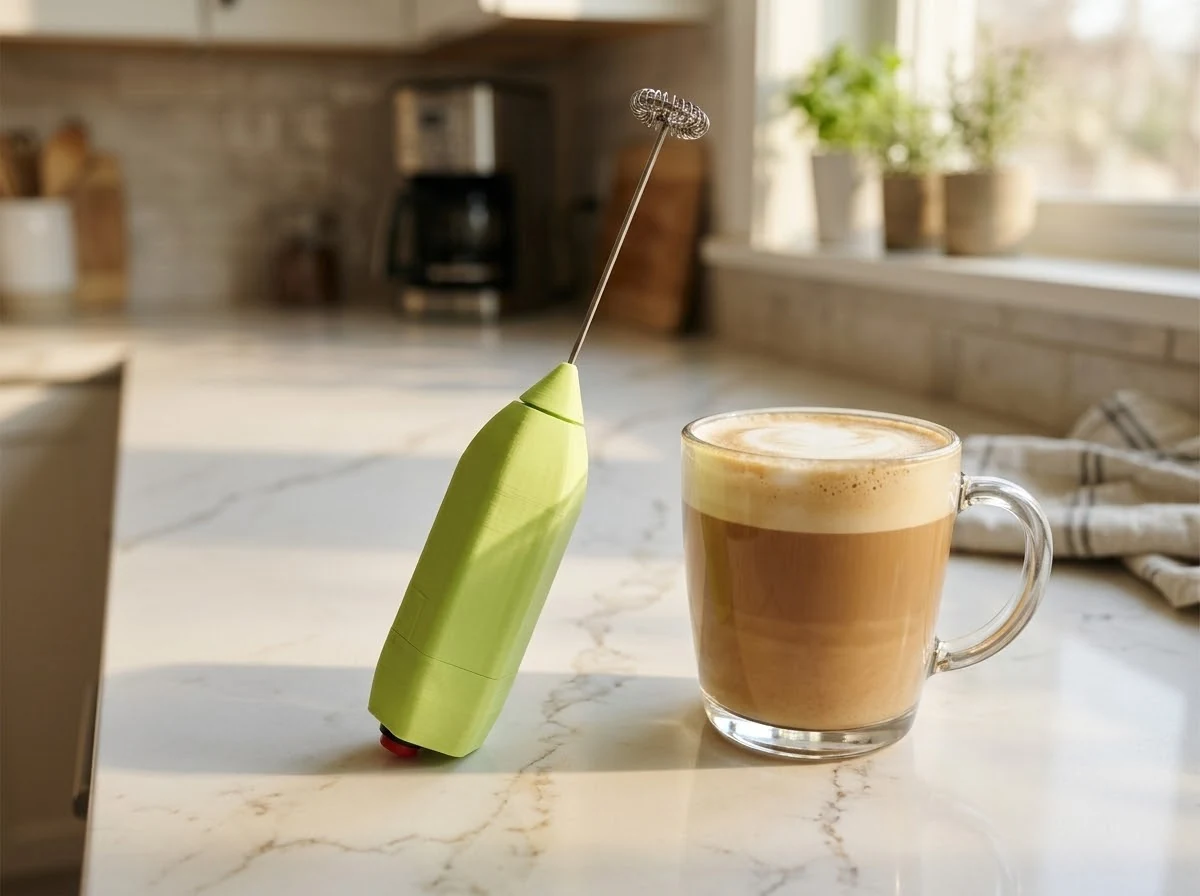
The design was built as a green prototype. The photographs show the real unit on a desk.
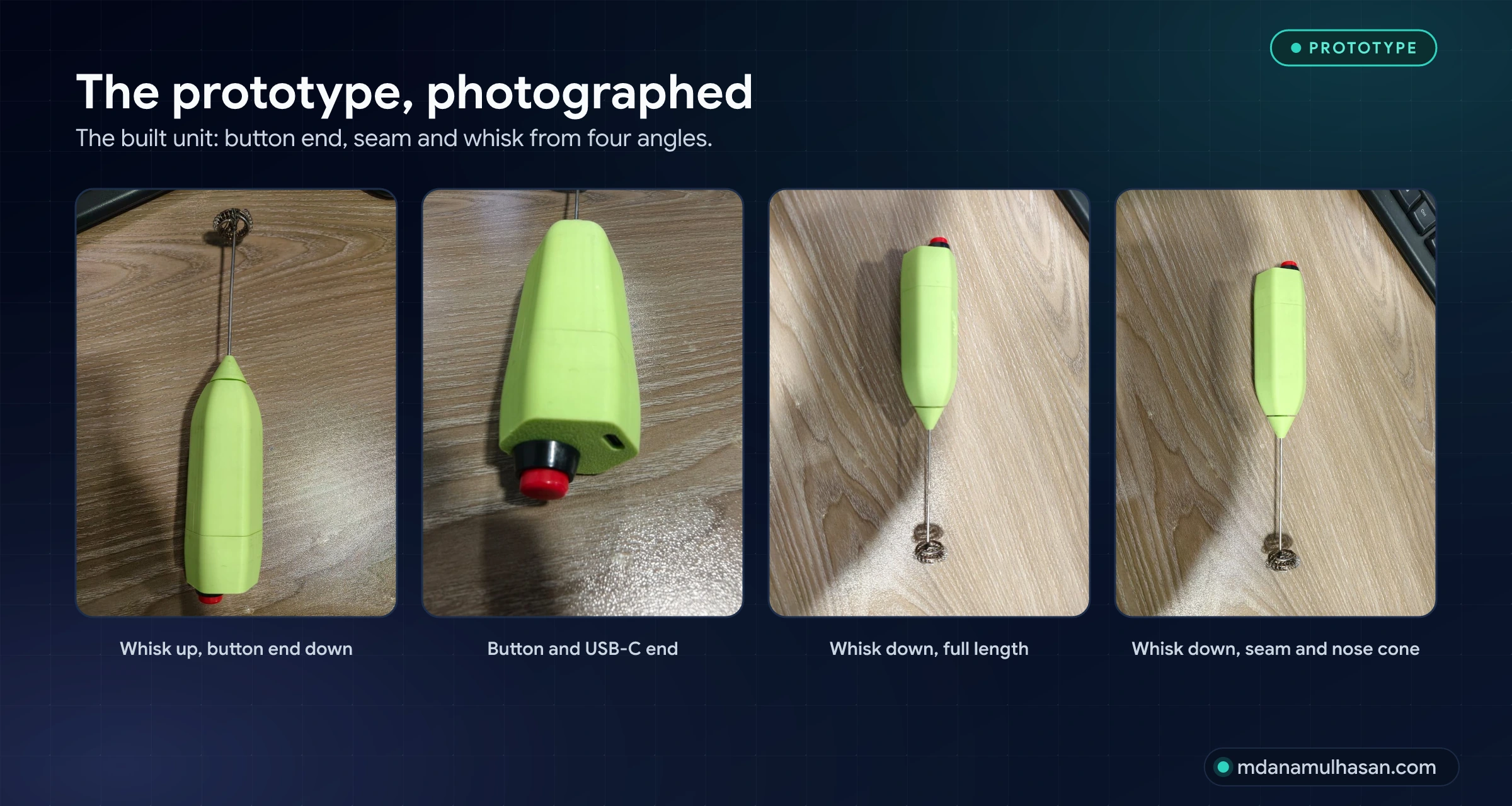
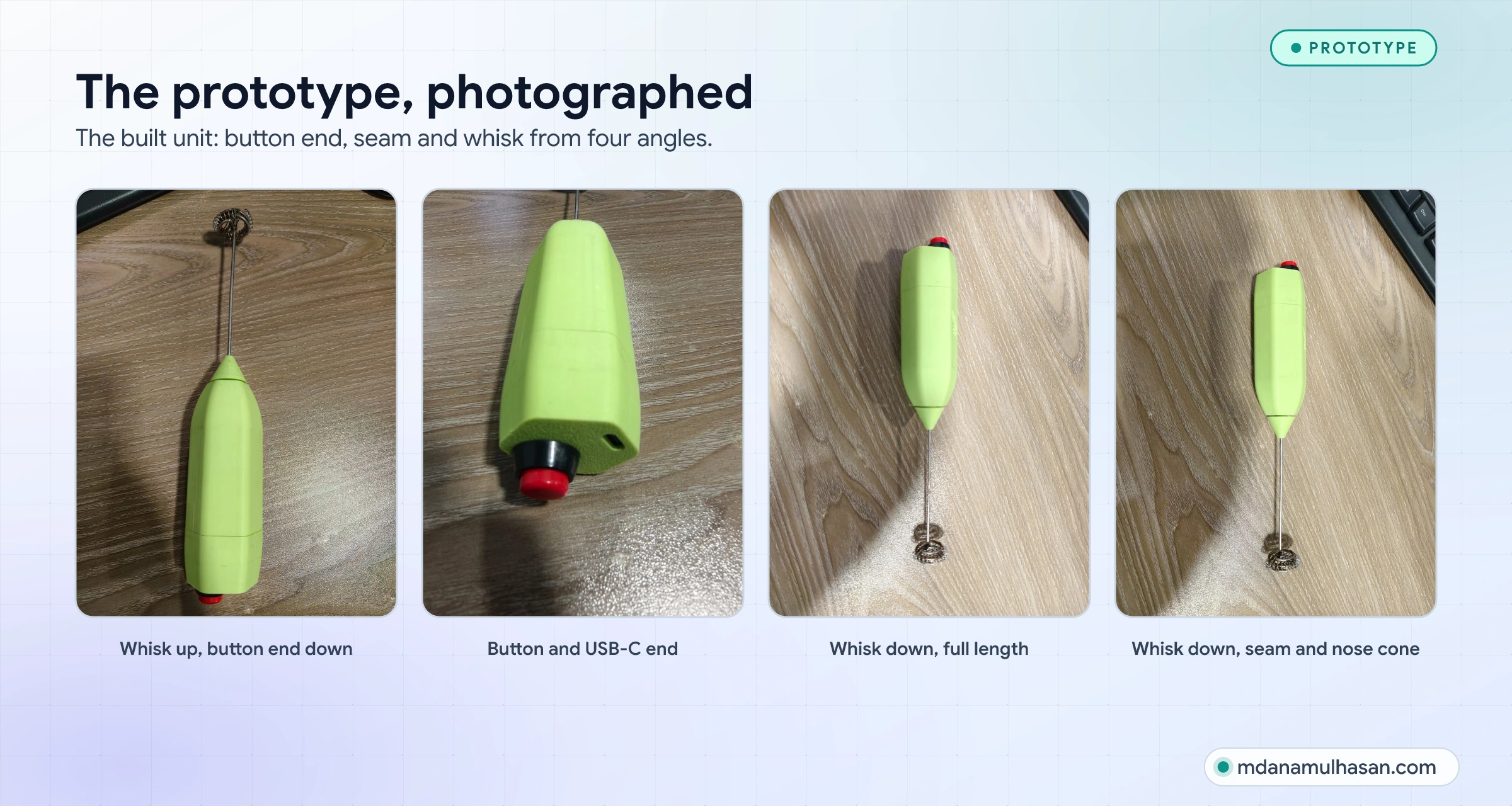
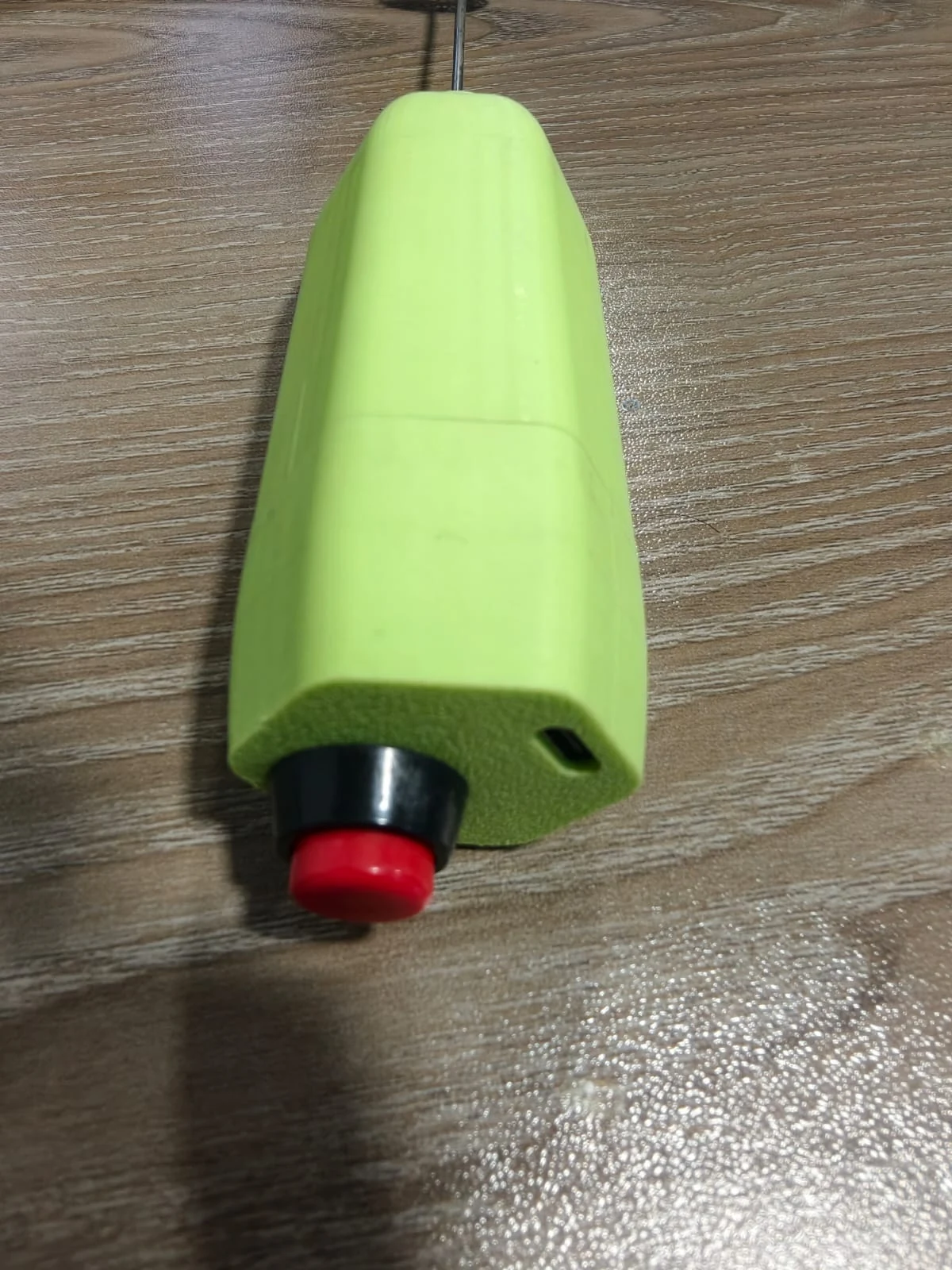
Compared with the studio render, the prototype shows the same arrangement:
- The seam. The housing splits into a long main section and a short button-end section in both.
- The end face. The button and the USB-C opening sit on the end face in both.
- The nose. A cone-shaped piece sits at the other end with the steel shaft at its tip in both.
How the numbers were checked
- The two STEP files were opened with a CAD kernel to read bounding boxes, solid volumes and face counts, so every figure in this study comes from the geometry.
- The edge drawings were generated from the same STEP geometry, not redrawn by hand.
- The Upper and Lower Enclosure exist as SolidWorks part files only, so no dimensions are quoted for them here.
- The renders and photographs are the project’s own images; the callout figure is drawn over the studio render.
What this study does not claim
It does not give weights, battery, motor or performance figures: they are not in the files, and I do not quote what I cannot show. Internal parts other than the spacer are not documented here.
Links
- Design review or a product enclosure of your own? Get in touch.
- Weighing a housing for sheet metal or welding instead? See Designing Heavy Welded Structures for Manufacturability and Sheet Metal K-Factor Mathematics, with the free Welded Structure DFM Toolkit and Sheet Metal Bend Calculator.
Measurable Impact
Key Outcomes & Performance
Quantified business outcomes and engineering improvements delivered.
Components shown
Four modelled parts plus whisk, shaft, button and USB-C port
Modelled parts
Two enclosure sections, internal spacer, coupler
Prototype photographs
Plus three studio renders and a wireframe sheet
Visual Documentation
Project Gallery & Technical Visuals
High-precision 3D CAD renders, exploded assemblies, and fabrication documentation.
Process & Milestones
Engineering & Development Journey
From initial requirements gathering to precision modeling and manufacturing validation.
Model the parts
CADUpper enclosure, lower enclosure, internal spacer and coupler in SolidWorks.
Export neutral geometry
STEPSTEP files of the coupler and the internal spacer.
Render the design
RenderStudio renders of the finished housing, a kitchen visualisation and a three-view sheet.
Build and photograph the prototype
PrototypeA green prototype, photographed from four angles.
Technical Stack